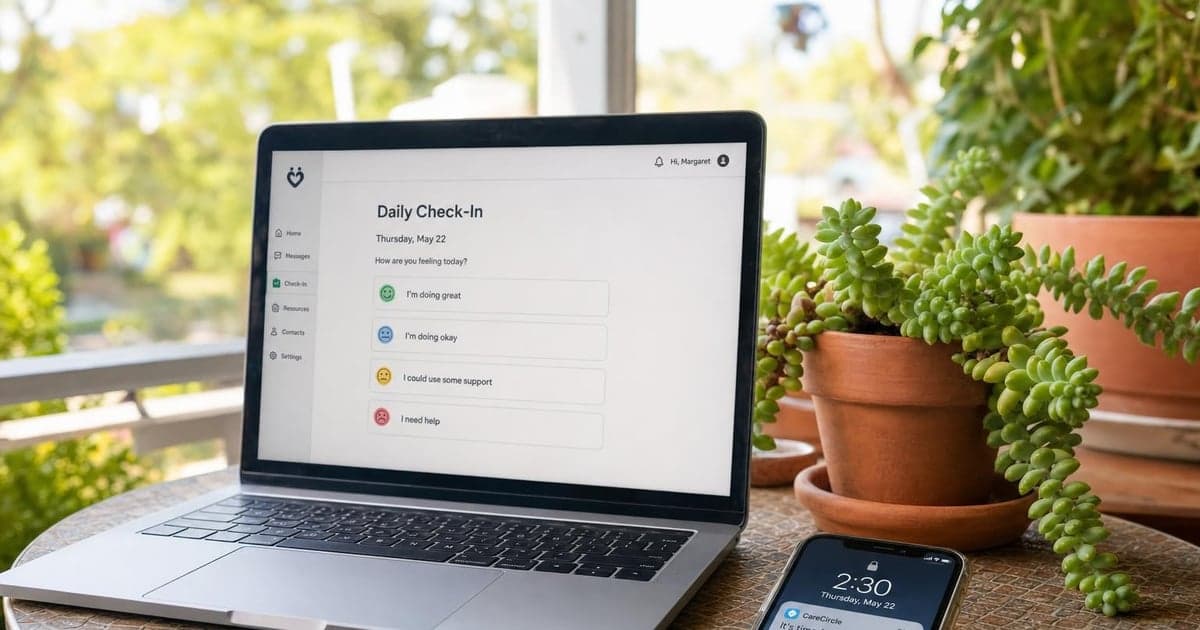
Choosing a daily check-in service means balancing two things that pull in opposite directions: a family member's need for peace of mind and an older adult's right to live on their own terms. This guide compares five of the most-used services in 2026, AloneAssist, iamfine, Verocall, Philips Lifeline, and Life Alert, across the dimensions that actually matter: cost, daily cadence, human touch, emergency escalation, and what happens to the dog if something goes wrong.
The Check-In Dilemma: Peace of Mind vs. Independence
Two people are probably reading this article. One of them, call her Sarah, hasn't heard from her dad in three days and is running out of ways to stay calm about it. The other, call him Frank, found this page himself and will navigate away the moment he feels talked down to. Both of them deserve honest information.
The scale of the situation is real. According to the U.S. Census Bureau's 2023 American Community Survey (https://www.census.gov/topics/families/families-and-households.html), approximately 16.7 million Americans aged 65 and older live alone. And the AARP Home and Community Preferences Survey (https://www.aarp.org/research/topics/community/info-2021/2021-home-community-preferences.html) found that 77% of adults aged 50 and older want to remain in their own home as they age. Those two facts together define the market this article is written for: people who are staying put and need a safety net that respects that choice.
This comparison focuses specifically on daily-cadence services, not passive wearables or reactive alert buttons that only respond after something goes wrong. For a broader orientation, how these services work and what they typically cost is worth reading first.
Why 2026 Is a Pivotal Year for Senior Check-In Technology
The urgency here is straightforward. The CDC's Injury Center (https://www.cdc.gov/falls/index.html) reports approximately 36 million falls among adults 65 and older every year, generating around 3 million emergency department visits annually. Falls are the leading cause of both fatal and nonfatal injuries in this age group.
At the same time, the Pew Research Center's 2022 report on tech use among older adults (https://www.pewresearch.org/internet/2022/01/13/share-of-those-65-and-older-who-are-tech-users-has-grown-in-the-past-decade/) found that only 61% of adults 65 and older use the internet, and smartphone ownership remains well below younger cohorts, especially among people with lower incomes, disabilities, or limited prior exposure to technology. That means any check-in service built exclusively around an app or smartphone interface is already excluding a meaningful share of the people it claims to serve.
Physical safety and emotional wellbeing are also intertwined. The Administration for Community Living (https://acl.gov/aging-and-disability-in-america/data-and-research/national-survey-caregiving) frames social isolation and inadequate wellness contact as interconnected risks for older adults living alone. A daily wellness call addresses both.
One important caveat before the comparison: no commercial daily check-in service has been evaluated in a randomized controlled trial for outcome reduction. Frame these services as a practical risk-mitigation layer, not a medical intervention, and you will be thinking about them correctly. For a closer look at what actually differentiates these services, the key features worth requiring from any daily call service is a useful reference.
2026 Comparison Table
Pricing below is approximate and changes frequently. Treat all figures as "starting at" estimates and check each provider's current pricing page before making a decision.
| Service | Monthly Cost | Check-In Model | Human Touch | Emergency Response | Pet / Ancillary | Best For |
|---|---|---|---|---|---|---|
| AloneAssist | Competitive mid-tier | Outbound human call + automated fallback | High | Configurable escalation chain to named contacts | Emergency notes field (pet instructions supported) | Dignity-first solo agers; families needing documented accountability |
| iamfine | ~$8 - $12 | Automated daily call-in (senior initiates) | Low (IVR only) | Notifies contacts; no dispatch | None known | Budget-conscious families; lower-risk, tech-comfortable adults |
| Verocall | ~$20 - $30 | Daily outbound human phone call | High | Contact escalation only; no dispatch | None known | Socially isolated older adults; adult children managing from a distance |
| Philips Lifeline | ~$30 - $50+ | Passive wearable button / fall detection | Medium (response center) | 24/7 dispatch | None | Seniors with documented fall risk or cardiac history |
| Life Alert | ~$50+ + install | Passive wearable button / fall detection | High (live operators) | Emergency dispatch | None | Families whose primary concern is delayed emergency response |
Key differentiator to keep in mind: AloneAssist and Verocall send a real person to call your parent every day. iamfine requires your parent to call in. Philips Lifeline and Life Alert only respond after a button is pressed or a fall is detected. Those are four meaningfully different models, and the right choice depends on your specific situation.
For a detailed side-by-side look at how iamfine stacks up against alternatives, the iamfine review covering pros, cons, and competitors goes deeper on that specific comparison.
AloneAssist: Best for Human Connection Without Sacrificing Autonomy
AloneAssist is built on a straightforward premise: a real person calls every day, and if there is no answer, a configured escalation chain activates. There is no app to remember to open. There is no button to press. The daily wellness call arrives, someone picks up or they do not, and the system responds accordingly.
That model addresses two things that the AARP research (https://www.aarp.org/research/topics/community/info-2021/2021-home-community-preferences.html) identifies as top priorities for older adults evaluating any supportive technology: independence and privacy. The senior controls the timing of the call. They control who is on the escalation list. They control what happens if they do not answer. That configurability is not a small feature. It is the difference between a service that feels like a check-in and one that feels like something else entirely.
For Frank-type users, the value is that the call is a two-way interaction, not a data-collection ping. For Sarah-type family members, the value is documented accountability: if your dad does not pick up, someone follows up, and you are notified according to the protocol you helped set up together.
AloneAssist sits in a mid-tier price range relative to this comparison, well above iamfine but below the wearable-button services with 24/7 dispatch. There is no long-term contract requirement, which matters when you are making a decision for someone who values the ability to change their mind.
Honest limitation: AloneAssist does not currently offer a formal pet-welfare feature. The pet question is real, and the practical workaround is covered below.
iamfine: Best for Budget-Conscious Families Who Can Accept Low-Touch Automation
iamfine works like this: your parent calls a number each morning, presses a key to confirm they are fine, and the system notifies designated contacts if no call comes in by a set time. At approximately $8 to $12 per month (verify current pricing at iamfine's site before committing), it is the lowest-cost entry point in this comparison by a significant margin.
That price point is genuinely useful for families where the risk level is lower, the older adult is comfortable with a predictable phone routine, and budget is a real constraint. If your parent is sharp, socially connected, and just needs a basic safety net, iamfine delivers that.
The limitations are worth stating clearly. There is no human conversation. There is no emergency dispatch. If your parent calls in and something is wrong but they do not say so, the system records a successful check-in. And because iamfine requires the senior to initiate the call, anyone with significant memory difficulty or who might forget the routine on a hard day is poorly served by this model. The Pew Research data (https://www.pewresearch.org/internet/2022/01/13/share-of-those-65-and-older-who-are-tech-users-has-grown-in-the-past-decade/) notes that the "digital divide" for older adults is layered, involving confidence and cognitive factors alongside income. An IVR call-in system has lower friction than a smartphone app, but it still requires reliable initiation.
If you are already using iamfine and considering a switch, what the cancellation process looks like and what to consider next is a practical guide for that transition.
Verocall: Best for Seniors Who Value Genuine Conversation Over Technology
Verocall sends a trained caller to call your parent every day for a real conversation. Not a recorded message, not an IVR prompt. A person asks how they are doing, listens to the answer, and ends the call when both parties are ready.
At approximately $20 to $30 per month (verify at Verocall's site), that human touch commands a higher price than iamfine but comes with something iamfine cannot offer: relationship continuity and a two-way exchange that might catch something an automated system would miss.
The ACL framing (https://acl.gov/aging-and-disability-in-america/data-and-research/national-survey-caregiving) is useful here. Social isolation and physical safety are intertwined risks. A daily wellness call that includes actual conversation addresses the isolation dimension in a way that a button-press or IVR confirmation simply cannot. For older adults whose primary need is human contact alongside a safety check, Verocall's model is a strong fit.
The limitation to name plainly: Verocall provides contact escalation, not emergency dispatch. If something is wrong during the call, a trained caller can alert your designated contacts. They cannot send an ambulance. For families where rapid emergency response is the primary concern, this is a meaningful gap. Verocall works best as a daily connection service, with a medical alert device serving as a separate emergency layer if that risk profile warrants it.
Philips Lifeline and Life Alert: Best When Emergency Dispatch Is Non-Negotiable
Both of these services work on a reactive model. Your parent wears a device, presses a button when something is wrong (or the device detects a fall), and a live operator connects to assess the situation and dispatch emergency services if needed. Philips Lifeline starts at approximately $30 to $50 per month. Life Alert starts above $50 per month and typically includes installation costs.
These are serious emergency-response tools backed by 24/7 operator centers, and for older adults with a documented fall history, cardiac conditions, or other medical risk factors, they address a real need faster than any daily call service can.
What they do not do is call your parent every morning to confirm they are fine. They have no proactive daily cadence. They are not designed to catch the slow-building situations, the missed medication, the mood that signals something is off, the week where your parent sounds quieter than usual. The CDC fall data (https://www.cdc.gov/falls/index.html) establishes clear urgency for emergency response capacity, and that is exactly what Philips Lifeline and Life Alert provide. They are a complement to a daily check-in service, not a replacement for one.
The Pet Question: What Happens to Fluffy If Frank Falls?
According to the American Veterinary Medical Association's pet ownership statistics (https://www.avma.org/resources-tools/reports-statistics/us-pet-ownership-statistics), approximately half of adults in the 65 to 69 age cohort own pets. That is a large share of the population this comparison is written for, and it represents a planning gap that almost no check-in service has formally addressed.
Here is the scenario. Your parent does not answer their morning call. The escalation chain activates. Emergency contacts are notified. Someone heads over or calls 911. Your parent gets the help they need.
What about the dog?
If no one has been briefed, the dog waits. In an extended hospitalization, that becomes a welfare emergency on top of a medical one. The compounding distress for both your parent and the family is real, and it is entirely preventable.
To be direct: no major check-in service currently offers a formal "pet welfare rider." This is not a standard product feature anywhere in this comparison. Framing it as one would be misleading. What is possible is a practical workaround that you can implement today with any of the services above.
A pet emergency protocol you can set up now:
- Name a dedicated "pet contact" explicitly in your escalation chain. This should be someone physically close: a neighbor, a pet sitter, a friend nearby, a veterinary office with a boarding option. Their role is specifically to check on the animal if an emergency is triggered.
- Brief every person on your escalation list on the pet's location, routine, food needs, any medications, and the vet's contact information. Do not assume this is obvious.
- For AloneAssist users specifically: use the emergency notes or contact customization fields to document pet care instructions. A sentence like "Lab mix, answers to Biscuit, food in cabinet under sink, vet is Riverside Animal Clinic at 555-0100" gives any first responder or contact something actionable.
- Consider pairing your check-in service with a pet camera (Furbo is one widely used option) as a secondary welfare signal, particularly if your parent lives alone with an animal that has its own medical needs.
For Sarah: the daily wellness call is not just about your dad. It is the thread that holds the whole household together, including the parts that can't call for help themselves.
For Frank: naming a pet contact and documenting their needs is responsible planning. It means that if something happens to you, the creature depending on you is covered. That is not a concession of independence. It is what a person in charge of their own life does.
One note on sourcing: the 50% figure above applies specifically to the 65 to 69 age band per the AVMA data. Pet ownership rates across the broader 65-plus population may differ; the AVMA report tables are the best place to verify if you need a precise figure.
How to Choose: A Decision Framework for Adult Children and Solo Agers
The right check-in service depends on four variables: budget, tech comfort level, escalation needs, and how the older adult in your life relates to the idea of daily contact. Brand recognition is not one of those variables.
Budget under $15/month, lower risk profile: iamfine or a comparable IVR service. Confirm the older adult will reliably initiate the call each day.
Social isolation is the primary concern: Verocall or AloneAssist. Both provide daily human contact. AloneAssist adds a configurable escalation chain.
Cognitive difficulty or limited tech comfort: A human-call model is required. IVR systems and apps both require the senior to remember and initiate an action. A service where a real person calls out removes that barrier entirely. (For condition-specific guidance, the Alzheimer's Association at alz.org and the National Institute on Aging at nia.nih.gov are the right starting points. This comparison does not substitute for that guidance.)
Emergency dispatch is non-negotiable: Layer Philips Lifeline or Life Alert on top of a daily check-in service. These are different tools for different purposes.
Pets, dignity, and family peace of mind are all factors: AloneAssist with a fully configured escalation chain and documented pet care instructions in the emergency notes field.
Red flags to watch for in any service:
- Opaque pricing with no published plan details
- No documented escalation protocol
- App-only interface with no phone fallback
- No cancellation transparency or required long-term contract
Green flags:
- Clear, named escalation chain with configurable contacts
- Trial period or month-to-month terms
- Human backup option if the senior cannot or does not initiate contact
- Transparent pricing that does not require a sales call to access
The AARP data (https://www.aarp.org/research/topics/community/info-2021/2021-home-community-preferences.html) is consistent on this point: older adults accept supportive technology at higher rates when they have agency over how it works. The Pew findings (https://www.pewresearch.org/internet/2022/01/13/share-of-those-65-and-older-who-are-tech-users-has-grown-in-the-past-decade/) reinforce that tech comfort is not uniform and cannot be assumed. A good decision framework accounts for both.
FAQ
Q: Isn't a daily check-in call invasive for older adults who value their privacy?
A daily wellness call does not have to feel invasive. The best services let the older adult configure the timing, the duration, and who is on the contact list. A call that arrives at a predictable time and lasts two minutes is a routine, not an intrusion. The AARP research on aging-in-place preferences is consistent: framing and senior agency are the deciding factors in whether older adults accept a supportive service. When the call is something they control, most people stop thinking of it as oversight.
Q: What if my parent refuses to use a check-in service?
Gradual adoption works better than a mandate. Start with the lowest-friction option available, often a simple daily call they can choose to pick up or not, and introduce more features as comfort builds. Framing the service as "this helps me worry less" rather than "you need this because I'm worried about you" reduces resistance more reliably than any feature comparison.
Q: Do any daily check-in services also cover pets in an emergency?
No major check-in service currently offers a formal pet-welfare feature. You can replicate the function by naming a dedicated "pet contact" in your escalation chain and documenting pet care instructions in the service's emergency notes field. A secondary pet camera can serve as an additional welfare signal between check-ins.
Q: How is a daily check-in service different from a medical alert device like Life Alert?
Medical alert devices are reactive. They connect to a live operator after the senior triggers an alarm or a fall is detected. Daily check-in services are proactive: they confirm wellness every day, even when nothing is wrong. Check-in services address social isolation and provide an early-warning system for situations that develop slowly. Most do not dispatch emergency services directly. The two types of service solve different problems and work best as a combined layer rather than alternatives.
Q: Are daily check-in services appropriate for seniors with dementia or cognitive difficulty?
App-only and IVR services are generally unsuitable for older adults with significant cognitive difficulty, because both require the senior to remember and initiate an action. Human-call models, where a person calls out and can adapt to the conversation in real time, are a much better fit for this situation. For condition-specific guidance, the Alzheimer's Association (alz.org) is the right starting point. This comparison is not a substitute for that kind of specialized advice.
Ready to Compare?
See how AloneAssist's daily human call stacks up against iamfine on cost, escalation protocol, and what actually happens if your dad does not pick up. Decide what fits your situation with a clear side-by-side view.
[Compare AloneAssist to iamfine ->]